Webinar
How Embedded Analytics is Evolving into Intelligent Action View Now
Data Visualization

AI-Powered Data Visualization for Faster, Smarter Decisions

Turn complex data into interactive dashboards, visual insights, and clear explanations so your teams can understand what is happening, explore why, and decide what to do next.

Create rich visualizations, automatically discover relevant KPIs, investigate patterns, and move from charts to actionable insight, all within one analytics experience.

LIVE Revenue $4.8M ? 12% Orders 18,240 ? 6% Churn 2.1% ? 0.4 Region ? Quarter ? Drill down AI Insight why it changed Compare it with last year
Definition

What Is Data Visualization?

Data visualization is the graphical representation of data through charts, graphs, maps, KPIs, and dashboards that make patterns, trends, relationships, and changes easier to understand. As a data visualization tool and business intelligence visualization platform, it turns raw numbers into clarity.

01What happened02What matters03Why it happened04What to consider next

Modern data visualization software should do more than make data easier to see. Lumenore combines interactive visualization with analytics and AI to help users move from seeing what happened to understanding what matters, investigating why it happened, and identifying what to consider next.

Core Value Proposition

Don’t Just Visualize Data.
Understand What It Is Telling You.

Traditional dashboards show performance well. The harder part is knowing where to look next. Lumenore brings visualization, interactive exploration, advanced analytics, and AI-assisted discovery together so users can move naturally through the full analytical journey.

Lumenore dashboard turning business data into intuitive charts, KPIs, and visual summaries
Visualization and Dashboard Creation

Build the View Your Business Needs

Create rich, interactive dashboards using a flexible visual designer built for both everyday reporting and deeper analytical exploration.

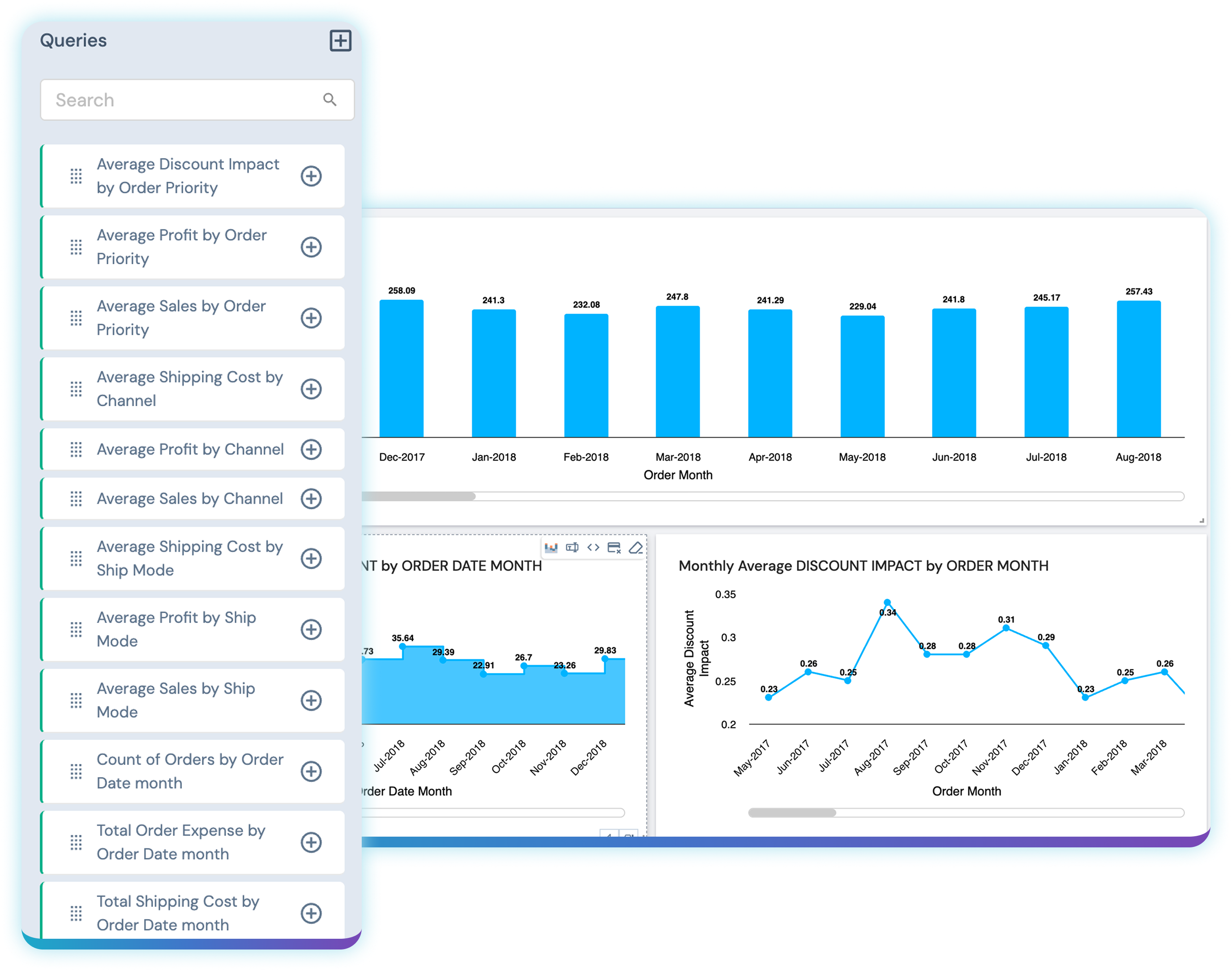
Lumenore's chart, map, widget, and storyboard library with 100+ visualization options
AI-Assisted Visualization

Spend Less Time Building.
Get to Insight Faster.

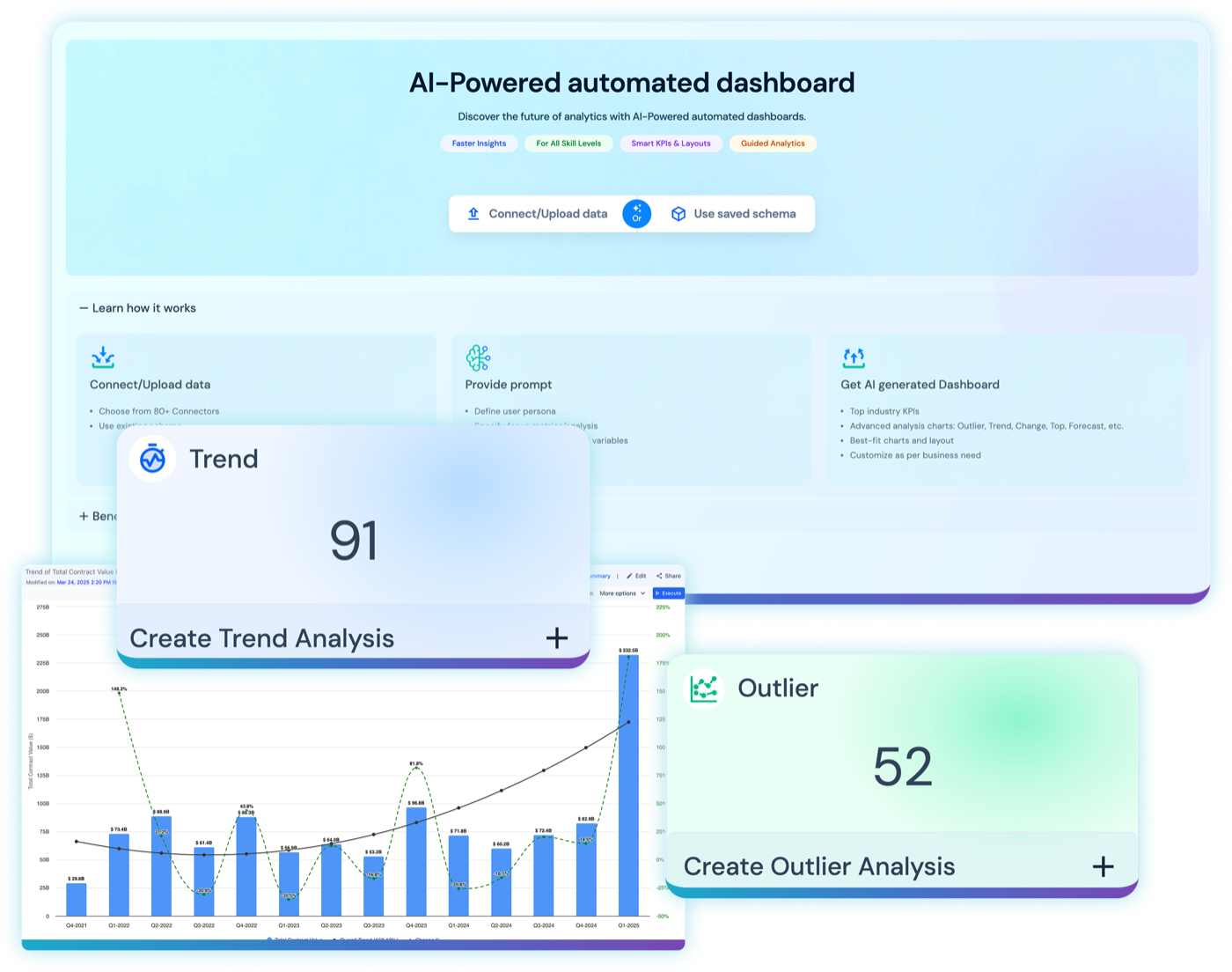
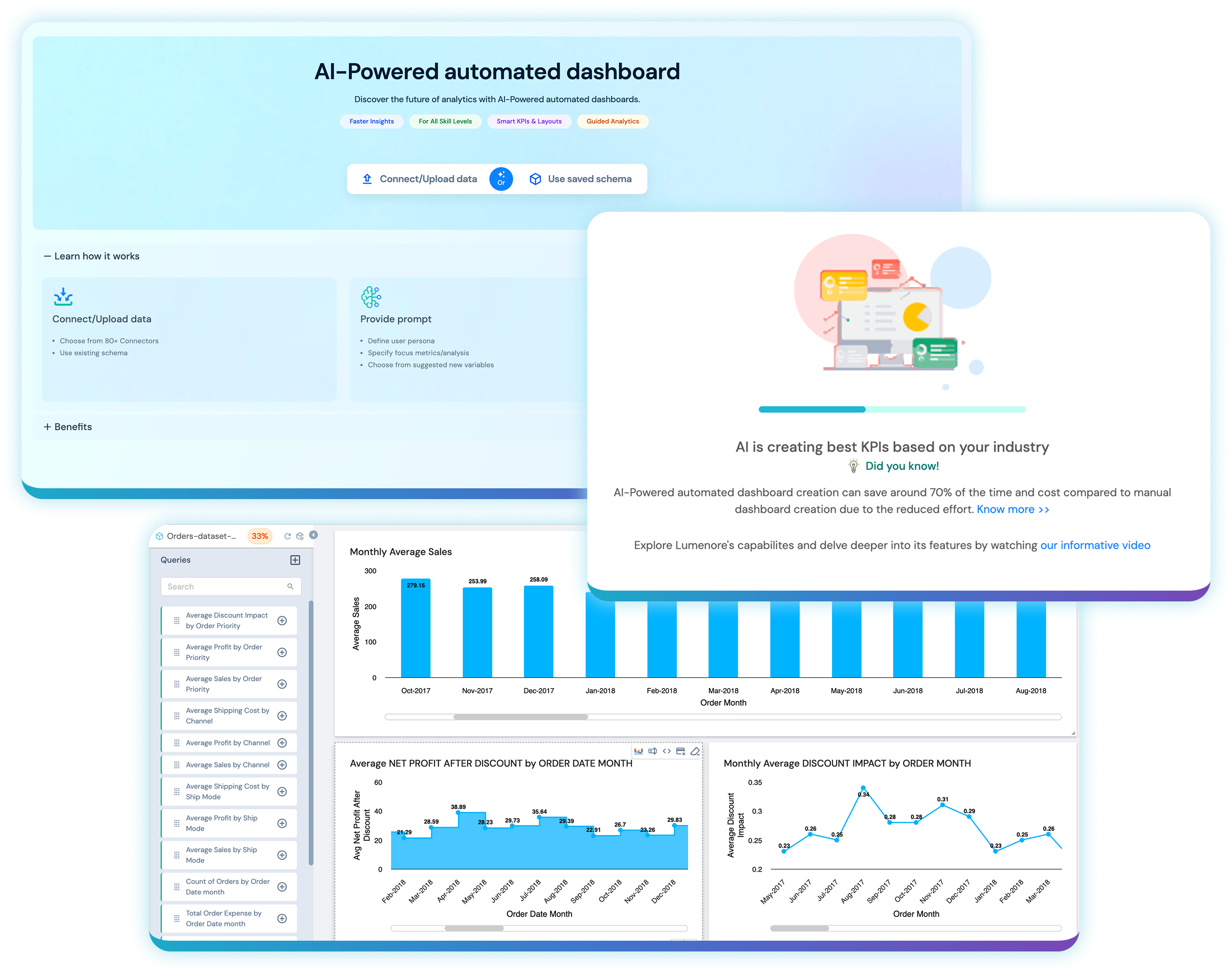
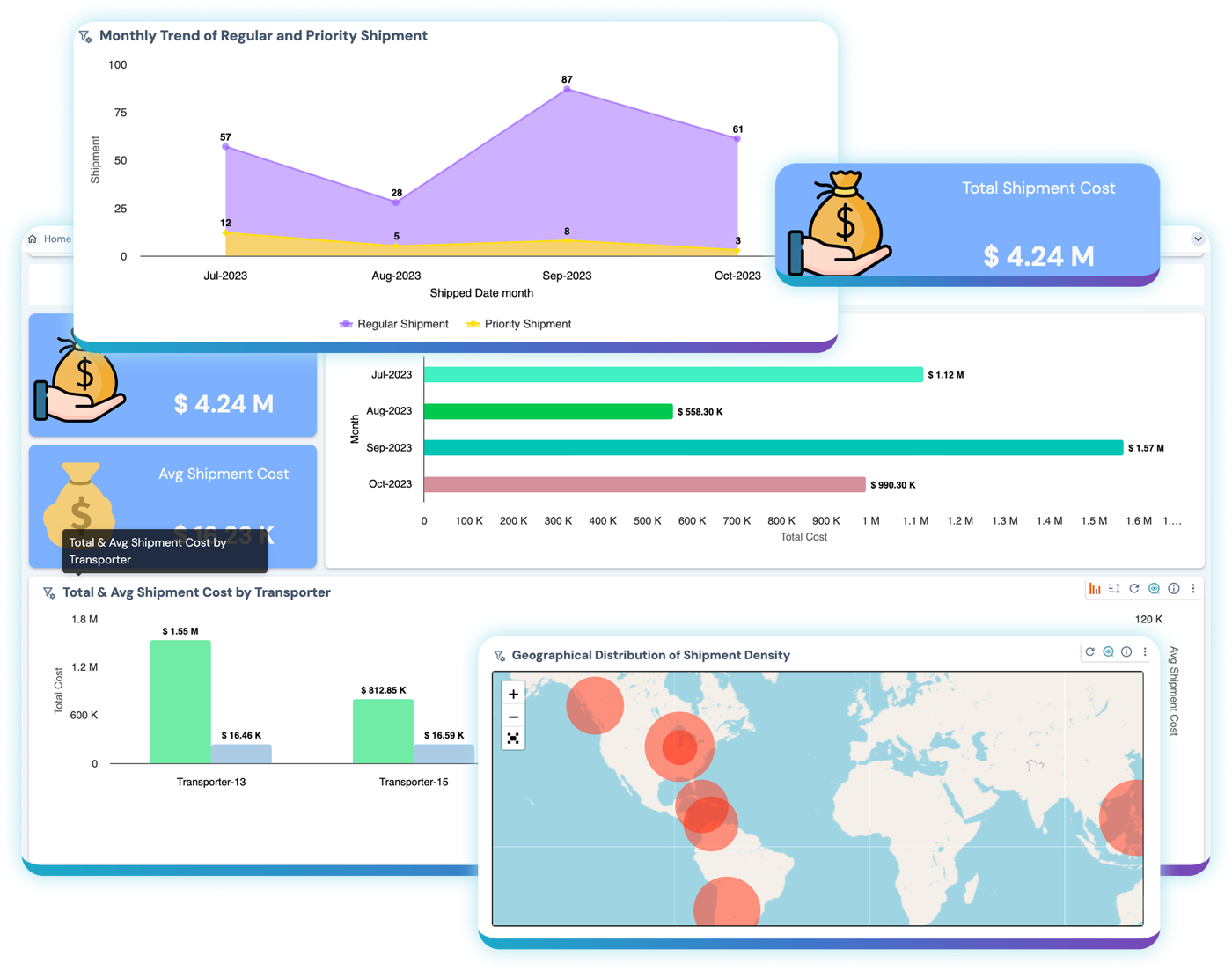
Creating dashboards shouldn't always start with a blank canvas. Lumenore uses AI-assisted data discovery and automated dashboard creation to accelerate the journey from data to visualization.

Lumenore automatically generating a shipment-cost dashboard from data, with charts and a KPI card ready to explore
Interactive Exploration

Move From the Big Picture to the Details Behind It

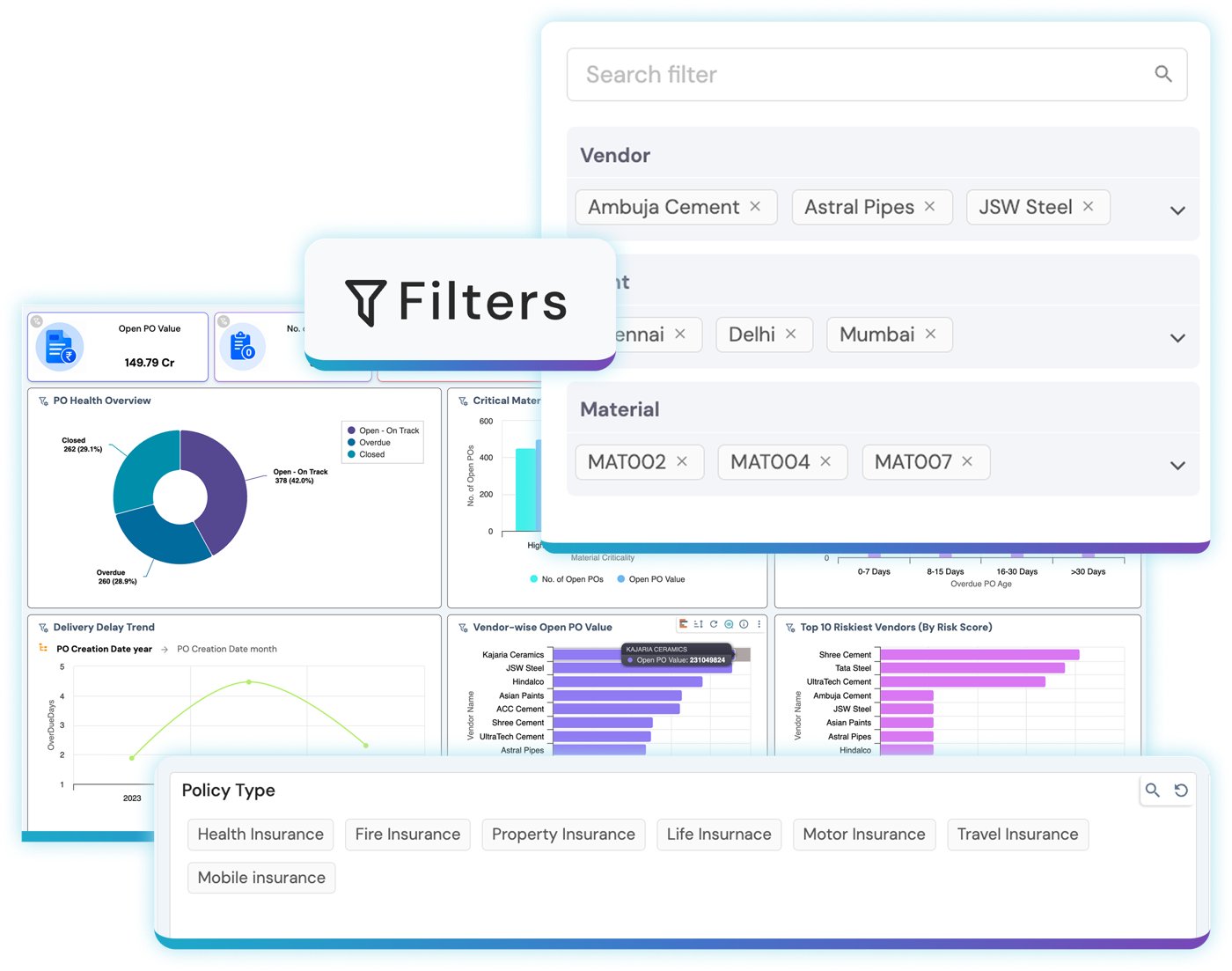
A dashboard should invite exploration, not end it. Users can interact with visualizations, drill into details, and follow analytical paths while maintaining the context behind the numbers.

An interactive Lumenore dashboard being filtered and drilled into, with connected charts updating in context

Filter and Slice in Context

Apply interactive filters and slicers directly across dashboards and save preferences for repeated analysis.

Drill Through the Details

Move between visualizations with configurable drill-through actions and automatic context passing.

Explore Connected Views

Selections within one visualization update related charts and metrics across the dashboard.

Compare and Investigate

Move from high-level performance indicators to the underlying dimensions contributing to the result.

What-If and Geospatial

Go Beyond Reporting
What Already Happened

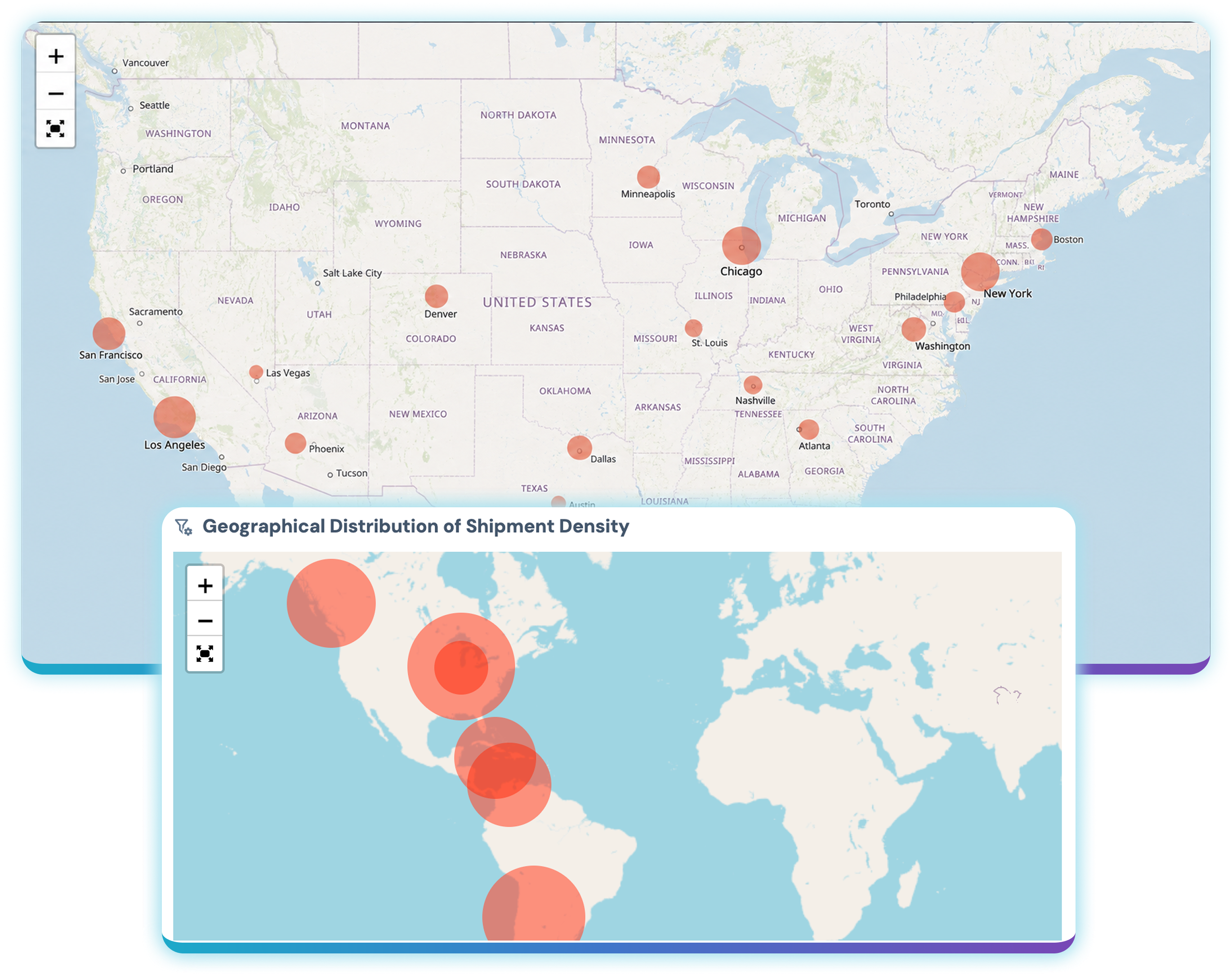
Use visualization to explore possibilities, geographic relationships, and alternative business scenarios.

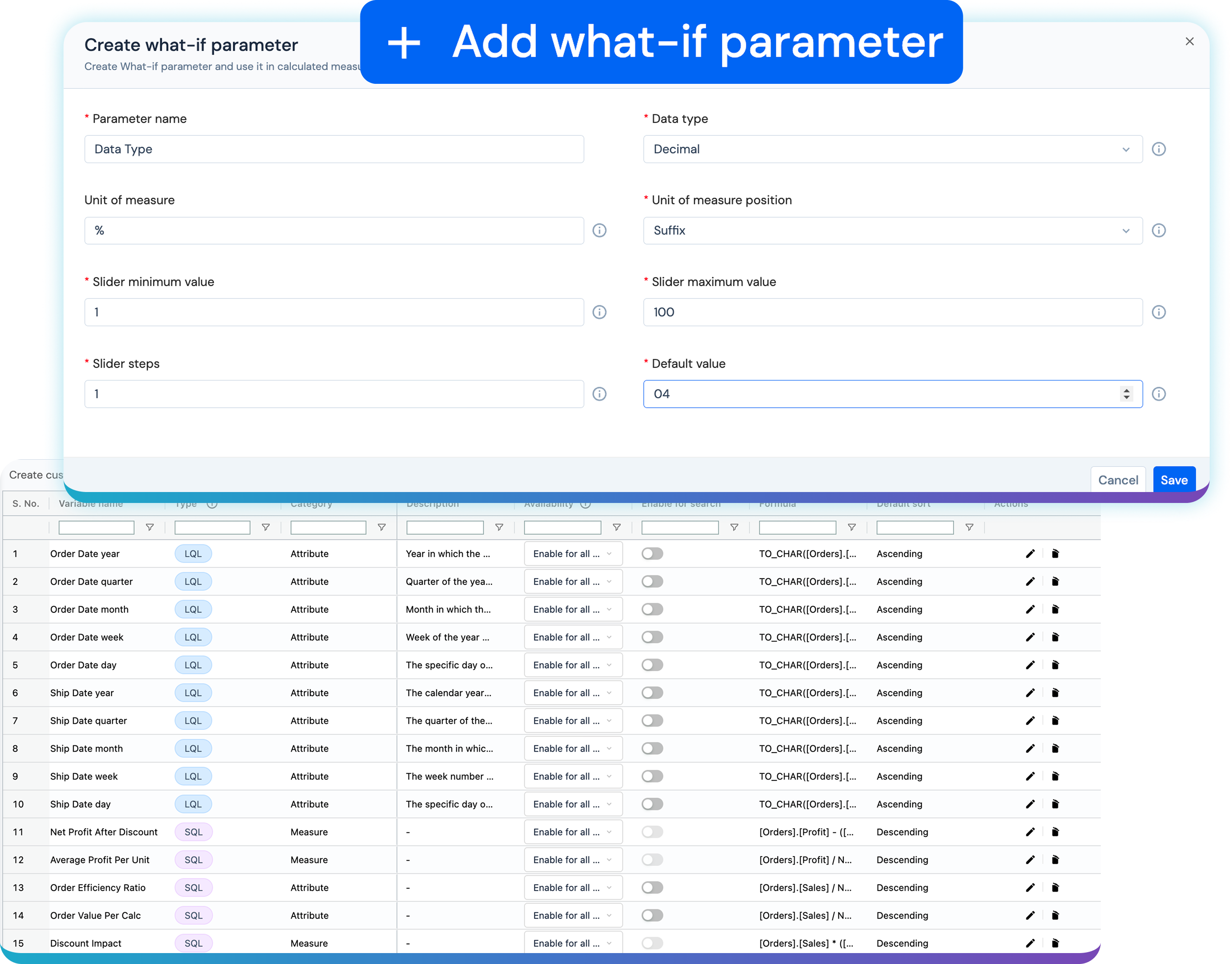
What-if analysis in Lumenore: changing assumptions inside a dashboard to evaluate alternative scenarios
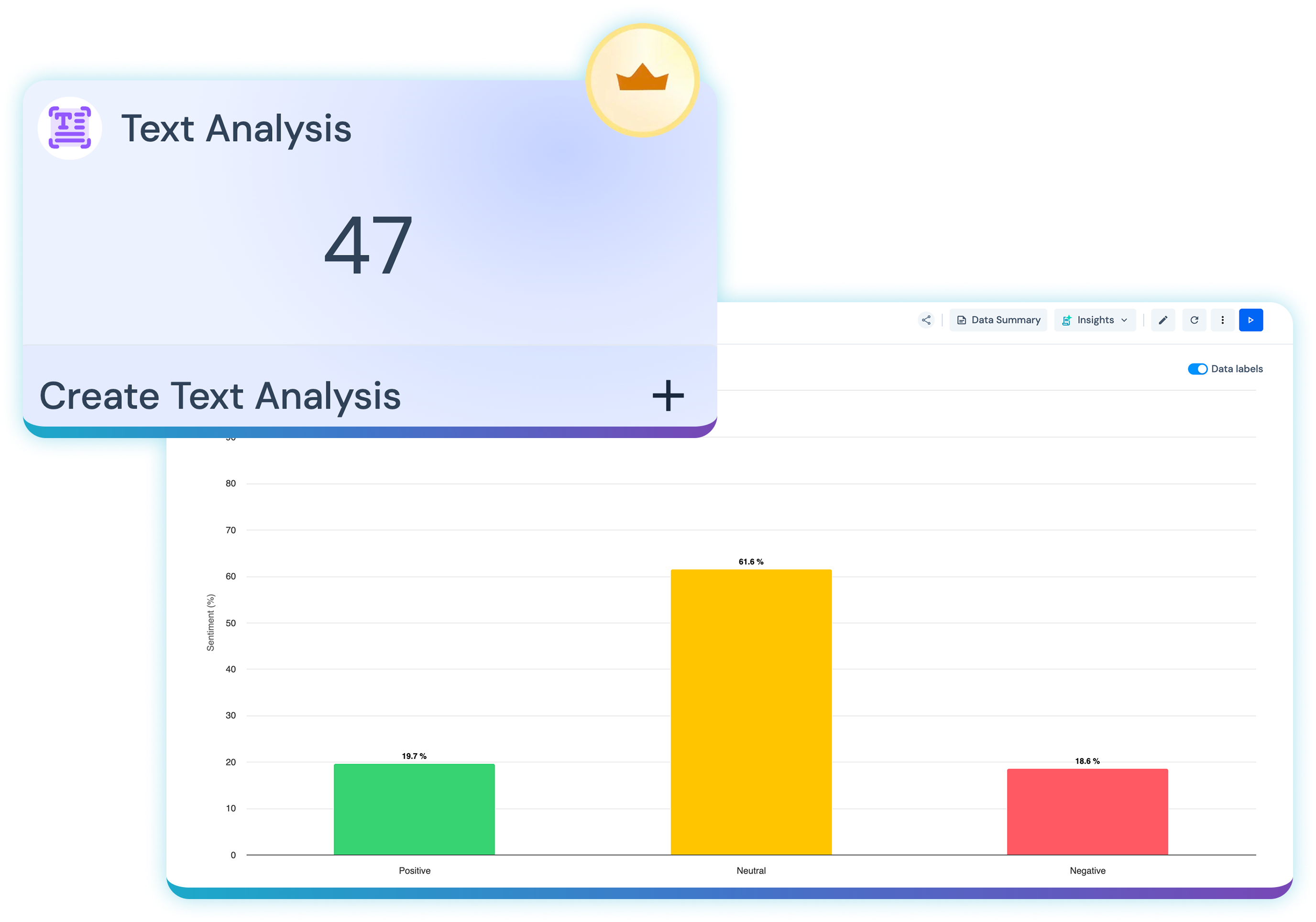
Advanced Analytical Visualization

See More Than the Metric

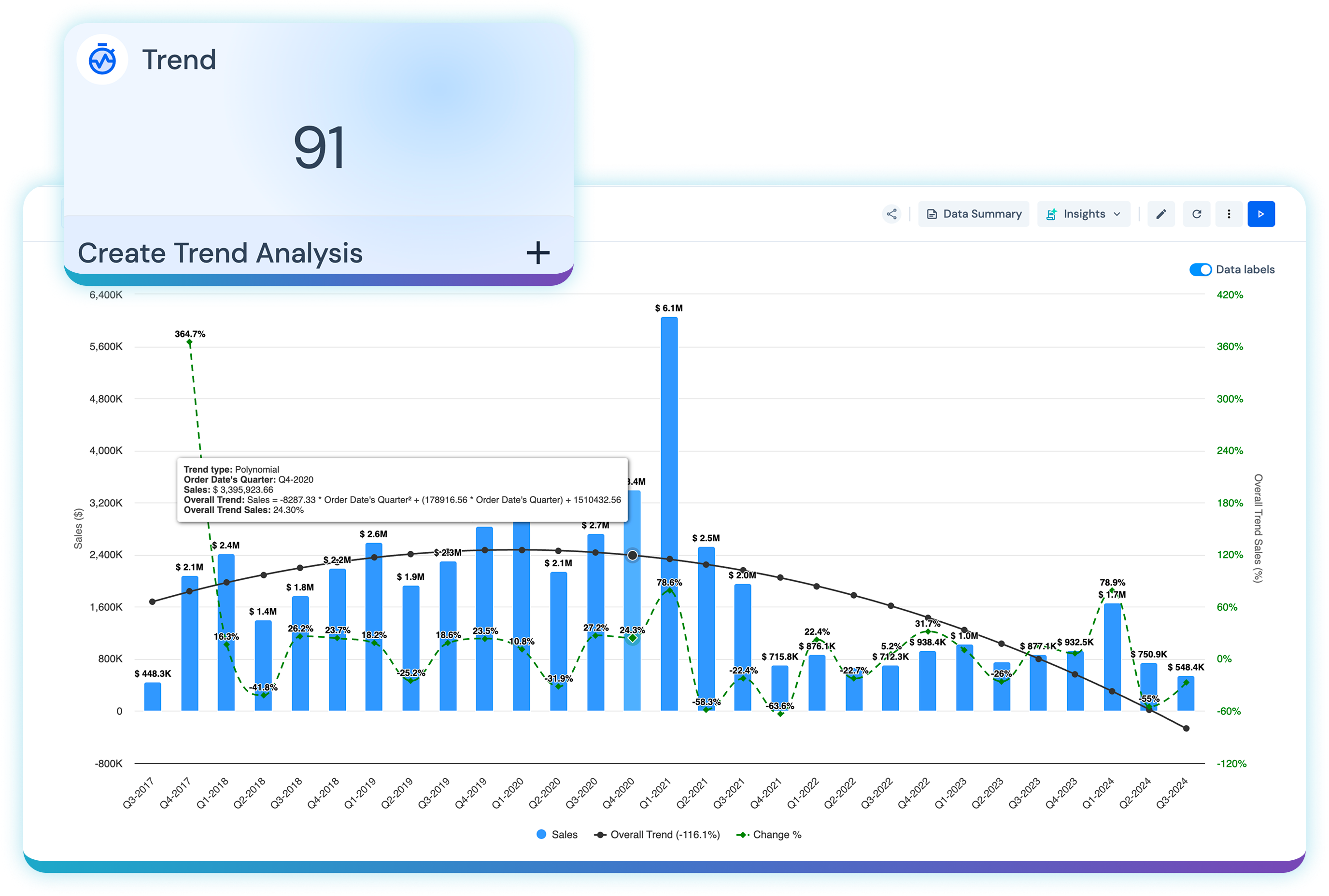
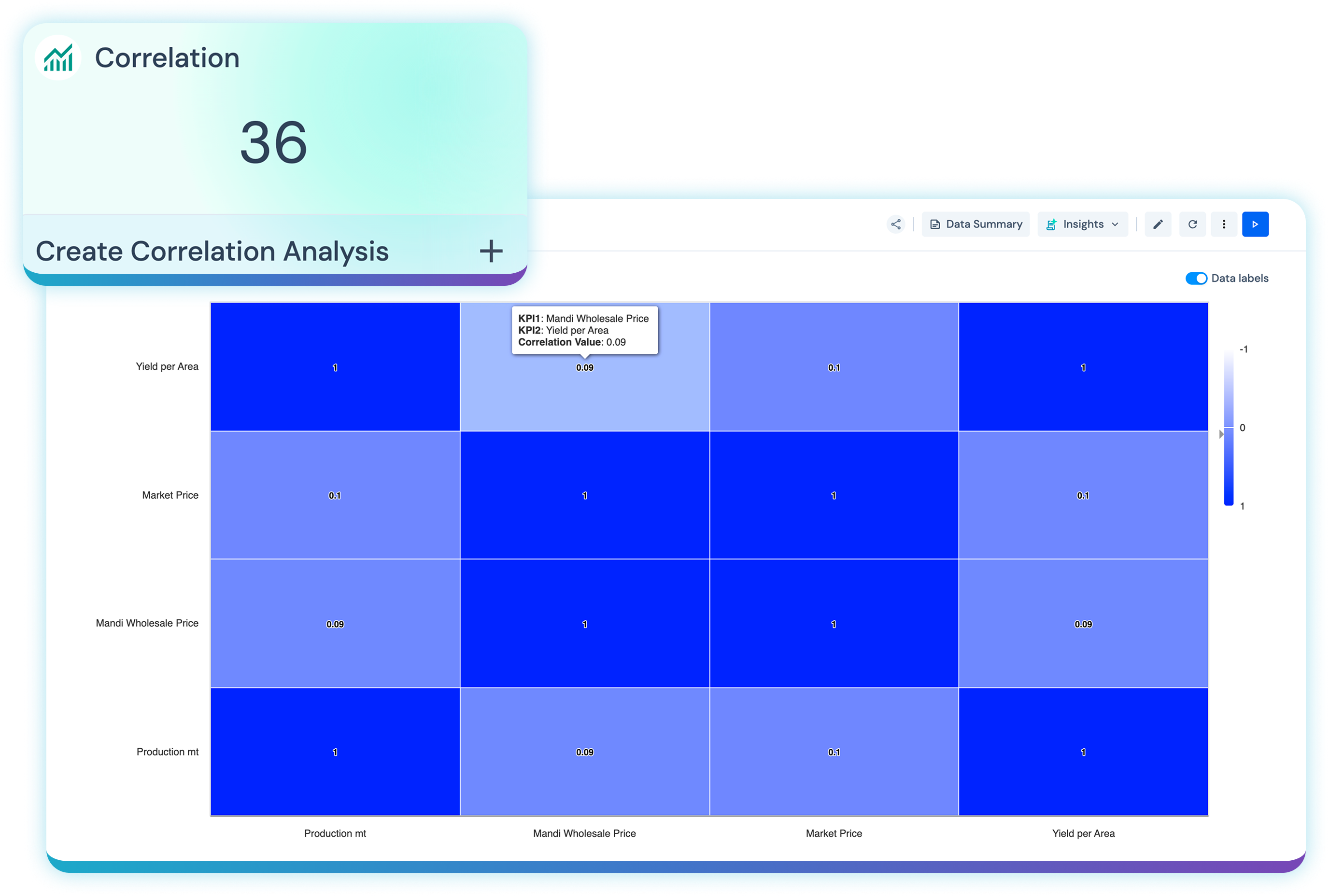
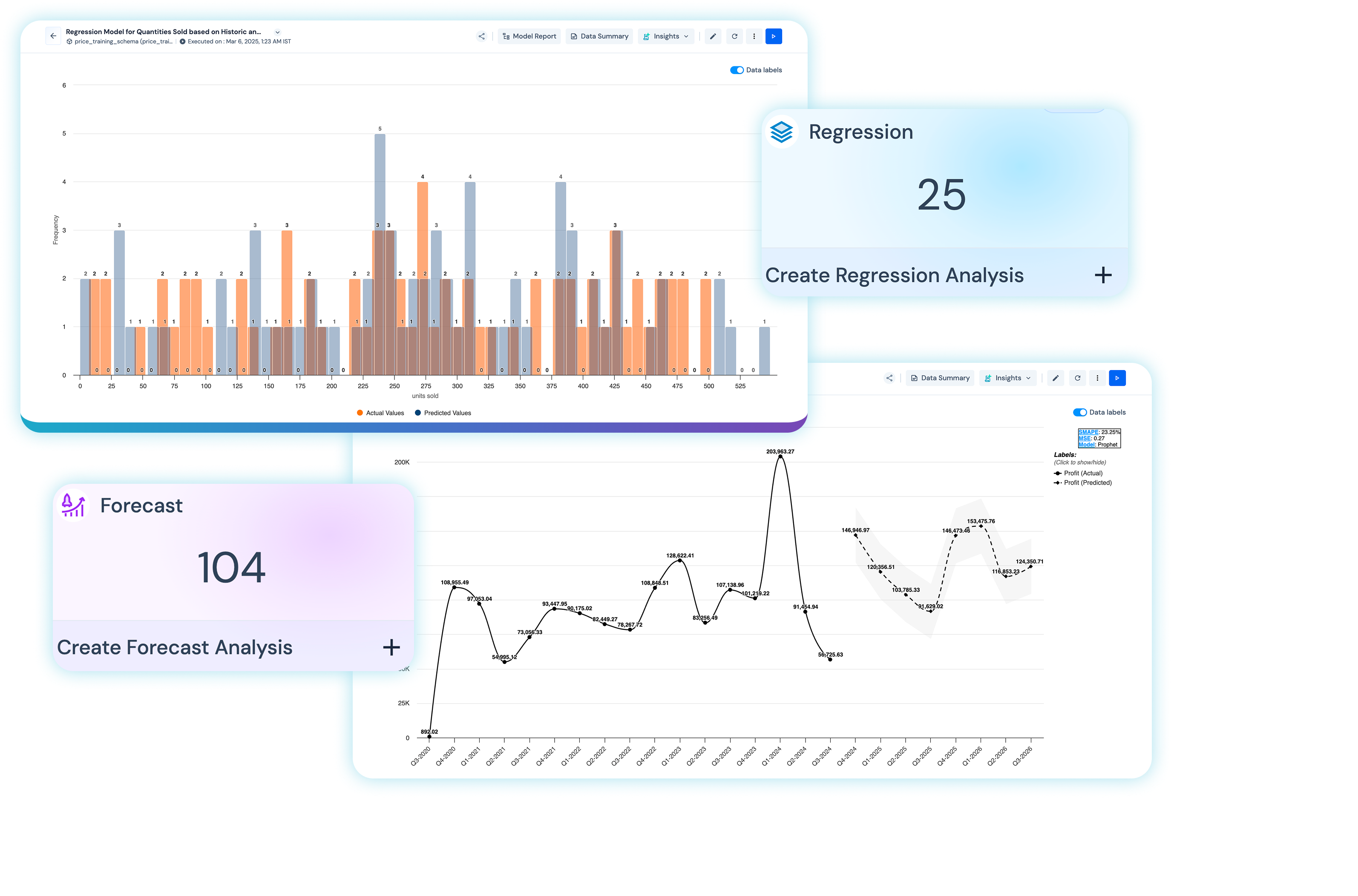
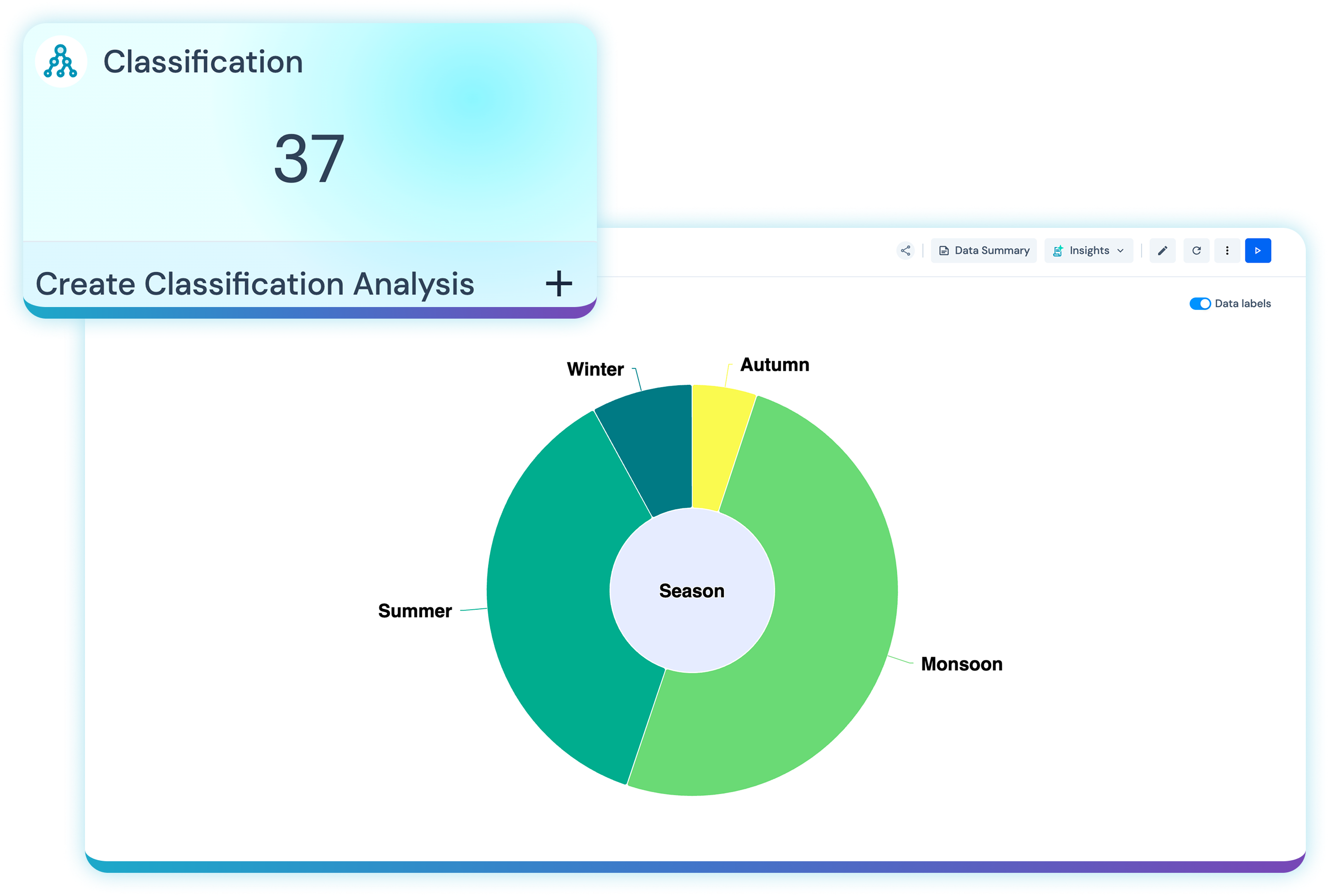
Sometimes the most useful visualization comes from deeper analysis. Lumenore combines visualization with advanced augmented analytics so users can identify trends, relationships, unusual behavior, and potential future outcomes without needing a data science background.

A trend analysis output in Lumenore showing patterns and directional change over time
Explanation and Root Cause Analysis

Don’t Stop at What Happened.
Find Out Why.

A chart may reveal that revenue declined or churn increased. The next question is always: why? Lumenore combines visual analysis with AI-assisted explanations and root cause investigation to help users move from observation to understanding.

Explain Trends and Changes

Simplified insight summaries and key takeaways generated alongside charts, dashboards, and analytical findings.

Investigate Root Causes

Guided analysis helps users move beyond surface metrics to examine contributing factors and relationships.

Add Business Context

Pair visual evidence with narrative explanation, so decision-makers understand why the result matters, not just what the number says.

Conversational Visualization

Ask Your Data. Let the Visualization
Follow the Question.

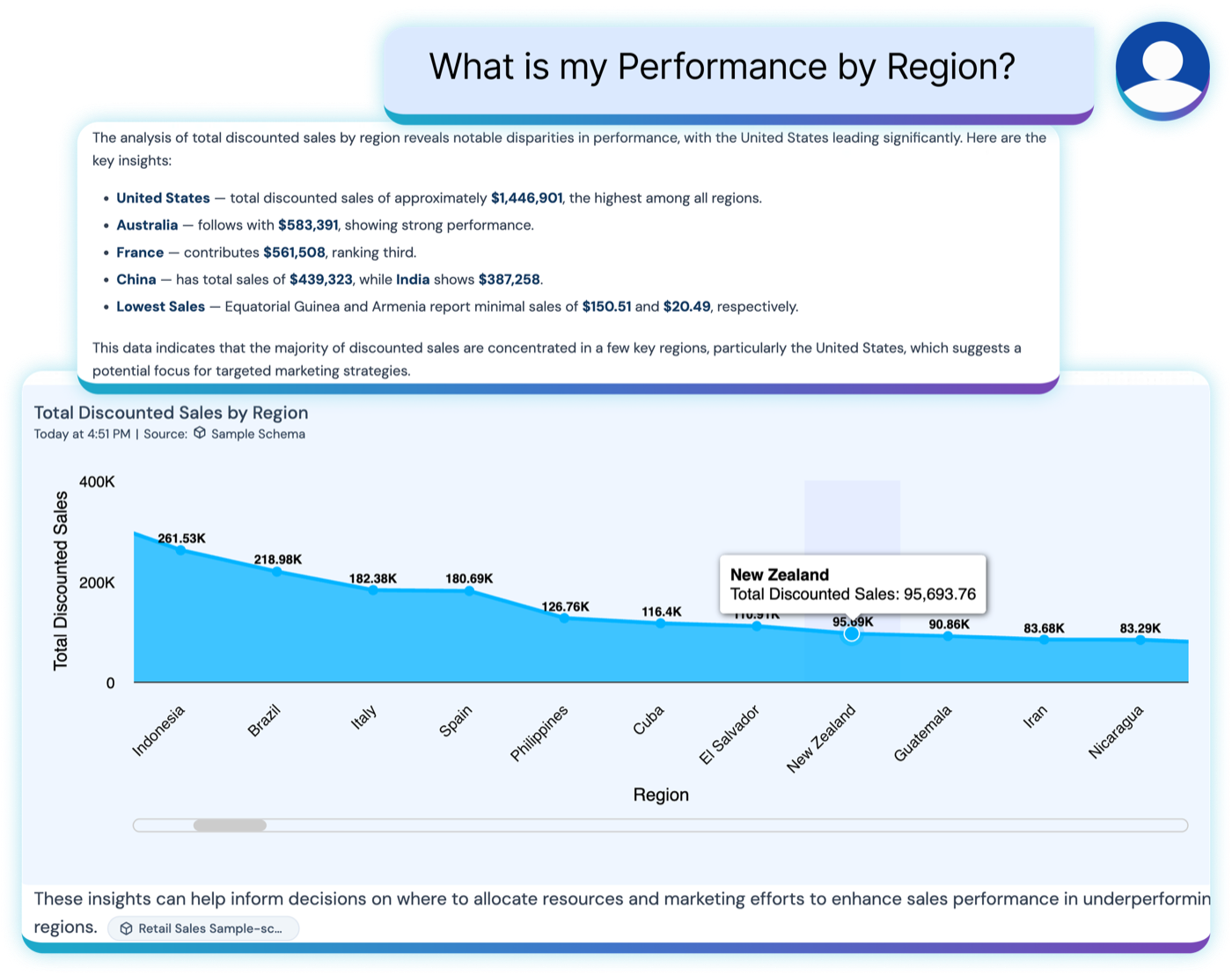
Not every analytical journey begins with a dashboard. With Lumenore Ask Me, users ask business questions in natural language and receive contextual answers supported by data and visual responses.

01 / 04

“How are sales trending this year?”

Get an analytical answer with an appropriate visualization.

Lumenore Ask Me answering “How are sales trending this year?” with a contextual visualization
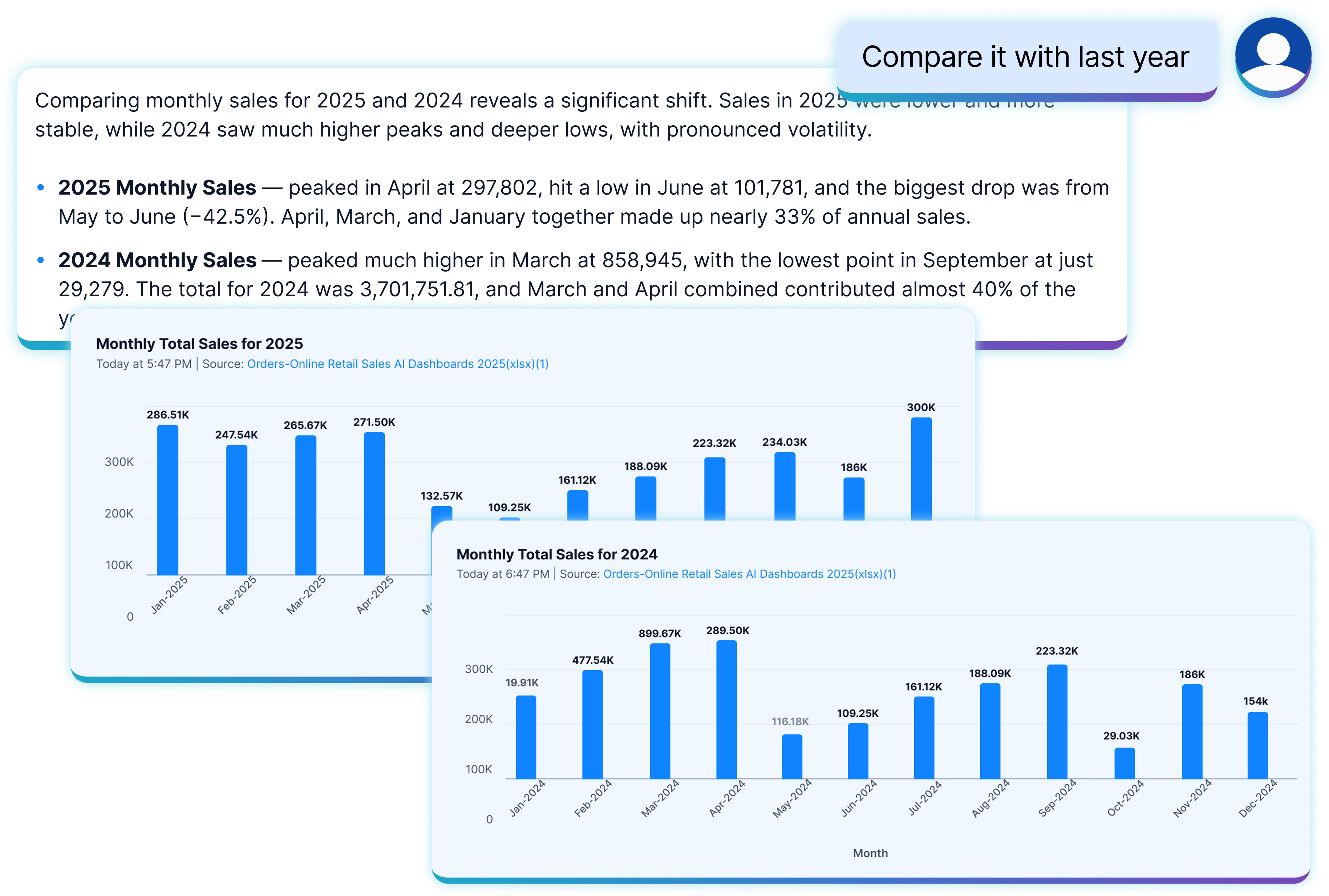
Lumenore Ask Me comparing this year’s trend against last year in the same conversation
Lumenore Ask Me redrawing the answer as a line chart on request
Lumenore Ask Me investigating what contributed most to the decline
Custom Visualization

When Standard Charts Are Not Enough

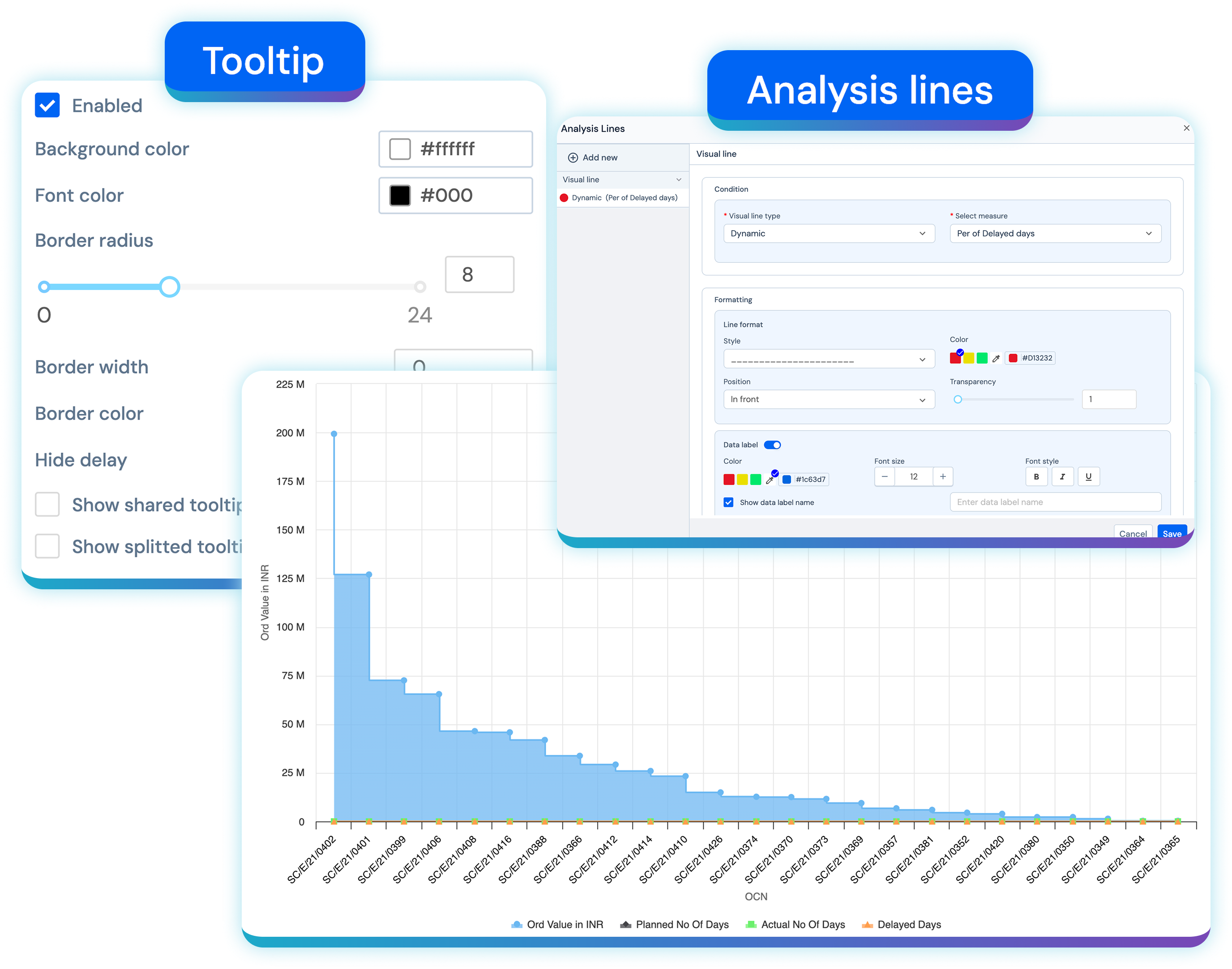
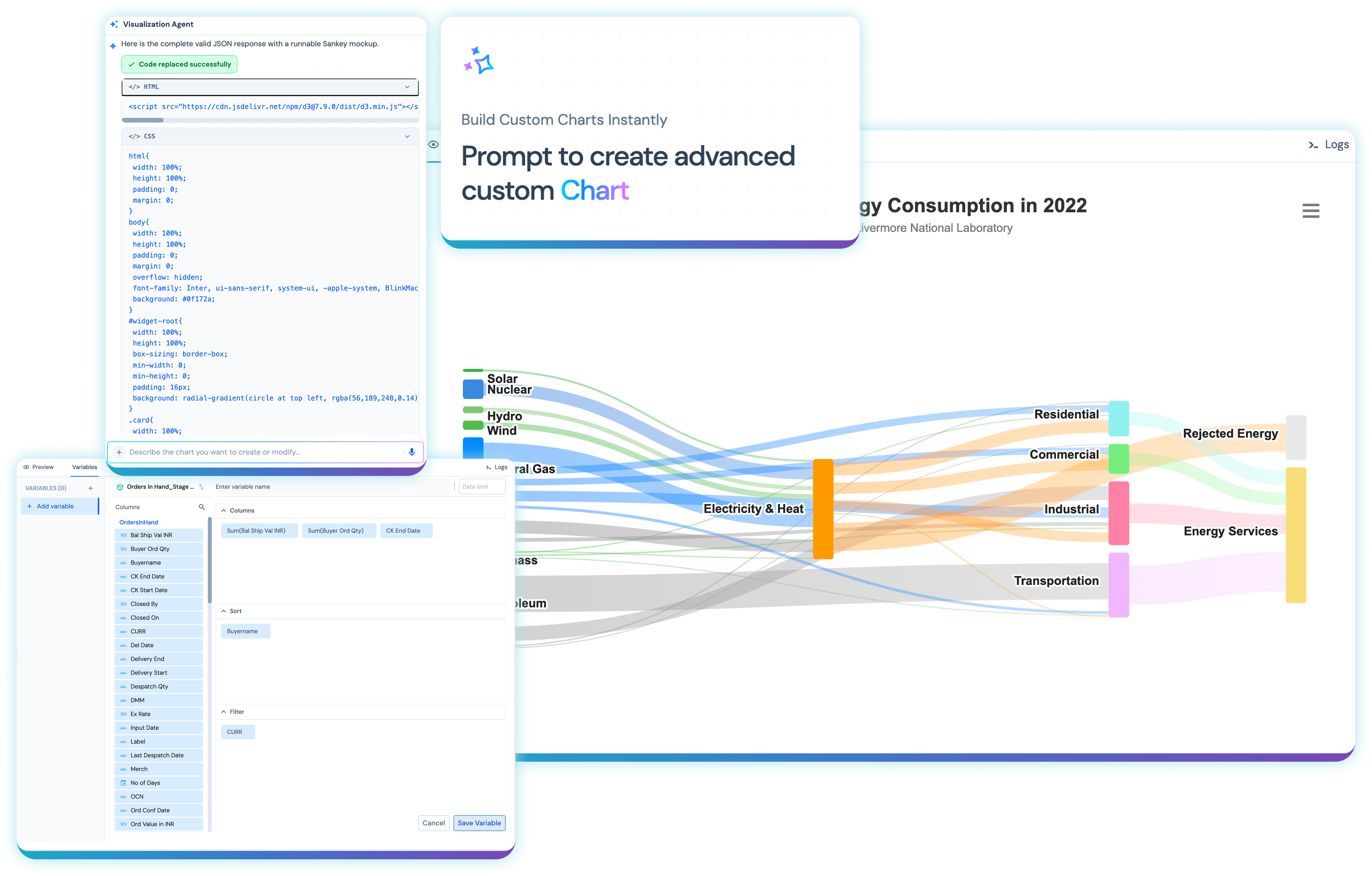
Every organization eventually encounters a visualization requirement that does not fit a standard chart library. Lumenore supports custom chart development through an AI assistant with a built-in code editor, enabling teams to extend the visualization experience for specialized business requirements.

Just explain what you need in natural language and create tailored visual experiences while keeping them connected to the broader dashboard and analytics environment.

Lumenores Visualization Agent building a custom chart from a natural-language prompt, with a live code editor and preview
Data Storytelling

Turn Analysis into a Story
People Can Follow

Finding an insight is only part of the job. The next challenge is communicating clearly. Lumenore Storyboards connect dashboards, charts, and analytical views into a guided flow that helps audiences move logically through the story behind the data.

01

KPIs

Establish what happened.

02

Visualization

Reveal the evidence.

03

Narratives

Explain why it matters.

04

Storyboards

Guide the audience through the analysis.

Turn a collection of charts into a decision narrative that executives, analysts, and business teams can understand together.

Collaboration, Sharing and Embedding

Keep Insights Moving

Analytics becomes more valuable when insights reach the people who need them.

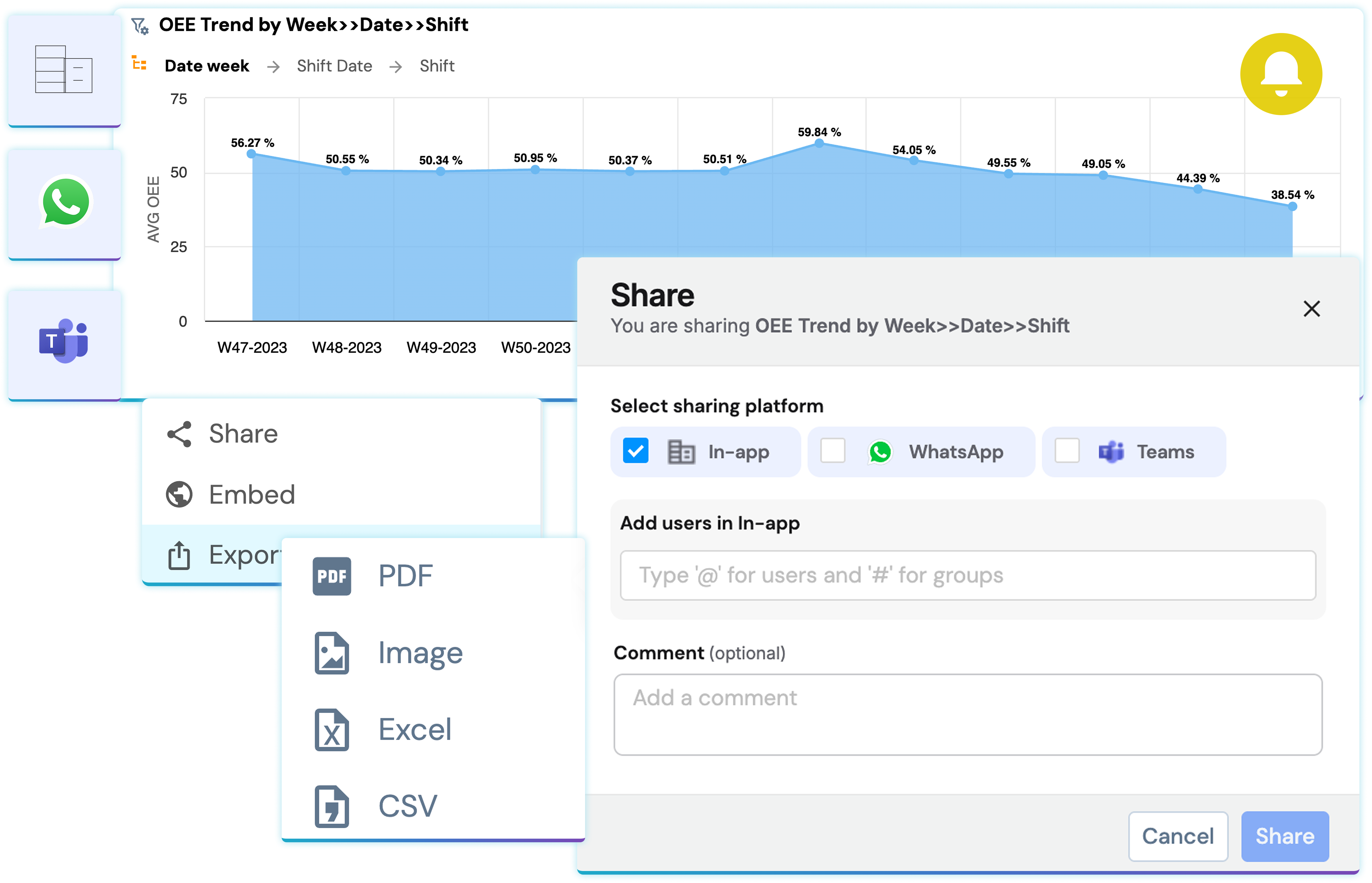
Share and Export

Distribute charts and dashboards in formats suitable for presentations, reporting, and collaboration.

Alerts and Notifications

Keep users informed when predefined conditions require attention.

Embedded Analytics

Bring dashboards, KPIs, and analytical views into business applications and workflows, so users consume insights closer to where decisions happen.

Sharing a Lumenore dashboard via in-app, WhatsApp, or Teams, with export to PDF, image, Excel, or CSV
Persona Value

Data Visualization for Every Decision-Maker

Different people need different things from their data. Lumenore is built so each persona gets an experience that fits how they work.

01

For Business Leaders

See the KPIs that matter, understand significant changes, and get supporting explanations without navigating layers of technical analysis.

A business leader explaining KPI trends and visual insights to colleagues
02

For Business Users

Explore information through intuitive dashboards, interactive filters, and natural-language questions without depending on an analyst for every new question.

A business user independently exploring an intuitive dashboard and conversational query
03

For Analysts

Build sophisticated dashboards, calculations, custom visualizations, and guided data stories with greater control over how information is presented.

A data analyst building a sophisticated dashboard with calculations and custom visualizations
04

For Data and Analytics Teams

Deliver governed analytical experiences that can be reused, shared, and embedded across teams and applications.

A data and analytics team reviewing governed, reusable, and shareable analytics assets
Differentiation

Visualization Is the Beginning of the Decision Journey

Most business questions do not end when a chart appears. They lead to another question.

  1. What changed?
  2. Why did it change?
  3. Is it unusual?
  4. What is driving it?
  5. What could happen next?
  6. What should I investigate or do?

Lumenore brings visualization together with self-service analytics, advanced analytics, conversational exploration, AI-assisted explanation, and decision intelligence so users can move through those questions within one connected analytical experience.

The goal is not to create more dashboards. It is to make it easier to move from data to visual evidence, from visual evidence to understanding, and from understanding to better decisions.

Get Started

See the Data. Understand the Why. Decide What Comes Next.

Turn complex business data into interactive visualizations, explore the details behind performance, and use AI-assisted analytics to uncover the insights that matter.

Frequently Asked Questions

A data visualization tool converts data into graphical formats such as charts, maps, KPIs, tables, and dashboards, so users can more easily understand patterns, trends, relationships, and performance.

Lumenore combines interactive dashboards with advanced analytics, AI-assisted data discovery, narrative explanations, conversational analytics, and analytical agents. This lets users move beyond viewing metrics to explore and understand the factors behind them.

Yes. Lumenore provides AI-assisted dashboard capabilities that can automatically generate visualization starting points and help identify KPIs, reducing manual dashboard-building effort.

Yes. Lumenore Ask Me lets users ask questions in natural language and receive contextual analytical answers and visual responses. Specialized agents support visualization, root-cause analysis, and data-science-driven exploration.

Yes. Lumenore provides a custom code editor for creating specialized charts beyond standard predefined visualizations.

Yes. Users can interact with dashboards using filters, slicers, drill-through actions, connected visual interactions, saved preferences, and storyboard-based navigation.

Lumenore’s advanced analytics capabilities include trend analysis, correlation, regression, forecasting, classification, outlier detection, and text analytics, with findings presented through analytical and visual outputs.

Yes. Lumenore supports map-based visualizations and advanced geospatial capabilities, including geo-fencing, layering, and clustering.

AI-powered data visualization uses AI to reduce manual effort in discovering relevant KPIs, generating analytical views, interpreting results, and refining how data is presented. In Lumenore, AI-assisted visualization connects automated dashboards, analytical discovery, narrative explanation, and conversational exploration.